top of page

How to Join the SMP Video Tutorial

IP Information
cozynightz.bh-games.com
PORT 19132 (needed for bedrock)
Youtube Playlist

How to Join, How it Works, Java Version Change

Screenshot 2025-12-01 202842.png

HOW TO JOIN

image.png
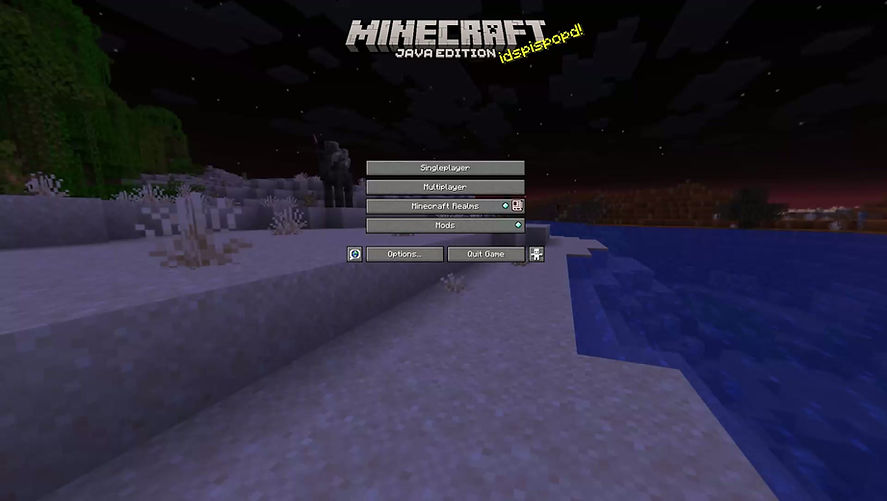
1. Open up minecraft, click on add server 
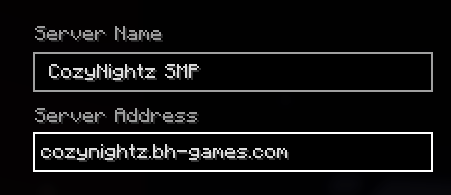
2. Add the IP listed above to the
Server Address area. The images seen on the sides are how it should look. Depending if you are on JAVA or BEDROCK. 
3. You will then get a message on your screen to DM the discord bot with a code. Return back to discord and under the Owner/Admin is the SMP bot. Message the bot the 4 digit code.


4. Once it says you have been linked, rejoin the server and you will be successfully logged in!

*COMMON ISSUES*
* If you are unable to message the bot, you have a feature that is on in your privacy settings on discord that allows you to NOT get direct messages from people in other servers. T
Turn this setting off, dm the bot, and then turn it back on!


* I am on the server but can't see any text! 
> Make sure you are the right version! That is updated on the discord server :)


image.png
image.png
image.png
How the SMP Works

HOW THE SMP WORKS

Welcome to the SMP! 
How to get started! 
When you join the server, you are going to need to do /atrnext and /atraccept to accept all the rules! Please make sure to read them all! If you need to read them before, check them out here! 


The lobby is an area to meet and for any crates for patreon! Please do /spawn after to enter the main world!
Once you are in the overworld, you will have a book tutorial and an origin orb! The origin orb, once clicked, you have to pick it! Make sure you read through the origins before changing! 
You can also do /warp NPC to visit the clan and origin NPC near the spawn. These reset every 24 hours! 
After, you are welcome to travel the world, join your clan, and survive! /rtp is the best way to find open spaces! 


Plugins 
* Aura Skills Tutorial
Auraskills is a plugin in the server that helps with generating money and activating your "jobs" (2 at a time). 

/skills click on a skill!
Once you do, click on a gold bar to activate your job! you can have TWO jobs active at once! You can change at any time :)


Bedrock Command to Change Job
/sk jobs [remove/removeall] [Job Name]

Full AuraSkills Commands Wiki Link


 Post Office
/warp PostOffice

When you find an empty P.O. box, do the following command to claim!
/postoffice register 


* TP Commands 
/spawn 
/lobby 
/warp LobbySpawn (lobby world)
/warp ClanSpawn (overworld) 
/warp (Clan name)
/warp Markey 
/warp PostOffice
/warp NPC
/tpr [name]
/tpa (to accept a tp to someone)

* Fun Commands 
/lay (sleep anywhere!)
/crawl
/spin
/sit


Plugin Help
image.png

© 2035 by Cozy Nightz. Powered and secured by Wix 

bottom of page